
Small dancer, big energy
1 photo · 9:16 · With sound
Your own take
Use a clear photo you are authorized to use and choose a baby-specific template. The intended result is a fictional, age-appropriate AI animation.
Reference length and audio describe the preview clip. The final generation length, quality, soundtrack and full price must be confirmed for the selected offer before payment.
Watch. Choose. Make it yours.
Watch the full movement, then choose the reference for your photos.
1 photo · 9:16 · With sound
No matching scene. Try another search or show all references.
Same song. Three ways to make it yours.
See the movement, match your photos, then choose your scene.
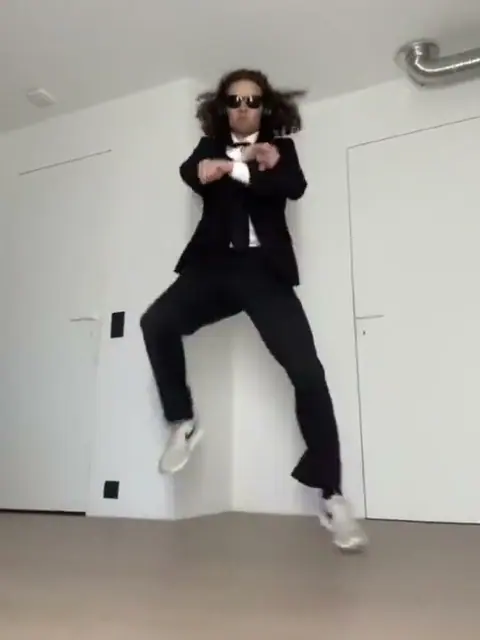
1 photo · the iconic horse dance
Crossed arms, a bouncing step, and a lasso gesture. Try a person, cat, dog or baby version.
Make this version →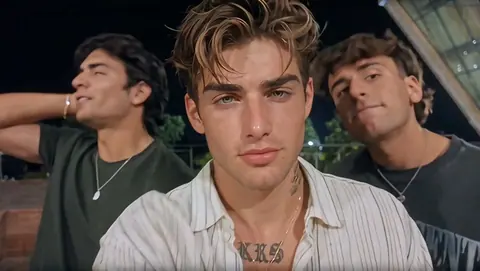
1–3 photos · rotating close-ups
Your friends share the frame, then each gets a moment in the spotlight.
Make this version →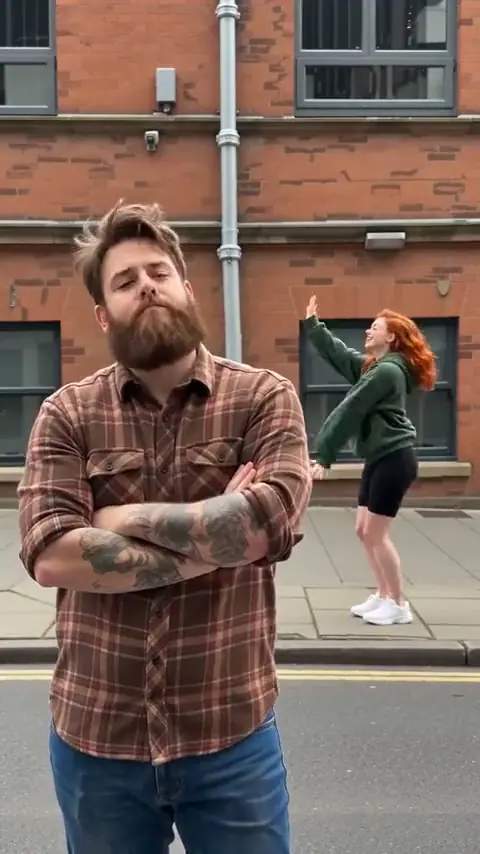
2 photos · comedy & choreography
One keeps a straight face. One brings the dance. Choose who plays each role.
Make this version →The short answer
No. It is a synthetic animation created from a photo. Use it as a playful AI edit, and do not describe the result as footage of something the baby actually did.
Choose this scene and add photos →Use a clear photo you are authorized to use and choose a baby-specific template. The intended result is a fictional, age-appropriate AI animation.
The song. The camera. The remix.

The original song and iconic horse dance by PSY. Watch on YouTube ↗
From music video to your group chat
Gangnam Style AI turns a photo into a familiar dance or camera scene. The classic horse dance and the three-person selfie are two different formats: choose the actual reference you want, then bring your own cast.
PSY’s crossed-arm horse dance gives the classic version its full-body rhythm.
The trio starts together, then the camera moves between faces. Different casts and locations give it a new personality.
Upload one clear photo for each role you want to replace. Keep the reference people in the other positions.
Choose the matching reference, assign clear photos, then review the final option.
Choose a reference. Its roles set the photo slots.
One clear identity per role. Match the position labels.
Review the quality and price, then receive a private video link.
A better photo makes a better starting point
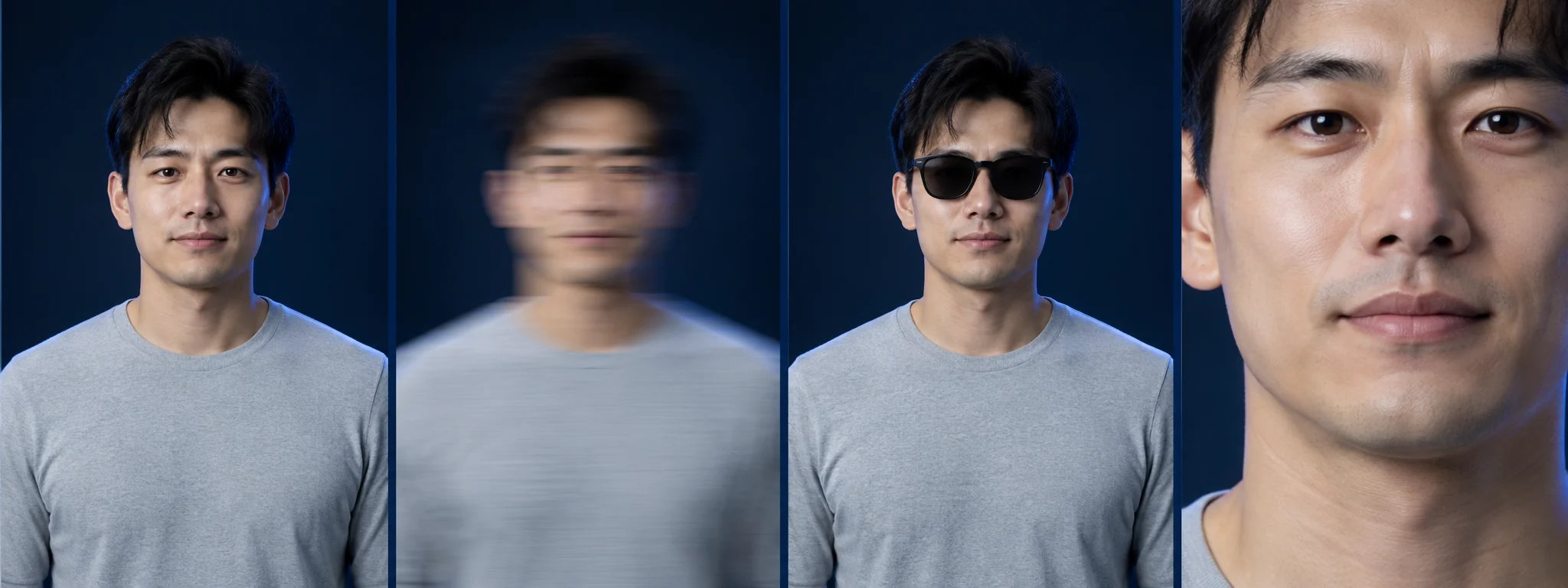
Use a bright, sharp photo with one subject. For pets and the horse dance, keep the body and limbs in frame.
Know the scene before you choose
The default Seoul selfie has its own rhythm. Other references follow their own complete clip.
Identify left, center and right before the camera moves.
The camera turns between people; each role keeps the photo you assigned.
The default Seoul reference finishes on the center performer.
One payment. Your video.
No subscription. Choose one video or save with a credit pack.
1 480p video · 100 credits
For one idea you want to try.
3 480p videos · 300 credits
For friends or a few different versions.
10 480p videos · 1000 credits
For more scenes and regular creating.
Single video: $9.90 at 480p or $14.90 at 720p. Pack video counts are based on 480p; 720p uses more credits. Taxes, if applicable, are shown at checkout.
No. It is a synthetic animation created from a photo. Use it as a playful AI edit, and do not describe the result as footage of something the baby actually did.
In a trio scene, add photos to the left, center and right positions. Upload one, two or three photos; positions without a photo keep the reference person. Other references show their own photo slots.
Use a clear front-facing photo, one identity per role. Each JPG, PNG or WebP must be under 5 MB, with each side 300–6000px and an aspect ratio from 2:5 to 5:2. For the horse dance, include the body and limbs.
No prompt, no editing. The workflow uses your role photos and a fixed scene reference. Choose the matching template, cast and available quality.
Sound depends on the selected template and available soundtrack. Check the sound option shown before payment.
Guests and signed-in customers receive an email with their private result link when the video is saved. Download your MP4 within 30 days and keep the link safe.
Choose a reference, add your photos and review the quality and full price. A single 480p video is $9.90; 720p is $14.90. Credit packs are available for more videos.
Credits are reserved before generation. A failed task or a task without a saved result after 60 minutes returns those credits once. Guest orders can retry confirmed transient failures within the same deadline, then enter the original-payment refund flow; bank processing time is separate.
Your photos are used to generate your selected video. Files and result links use private storage. See the privacy policy for retention and provider processing.
The selected option shows its credit cost separately from the price of a pack. Credits are reserved before submission. Failure or no saved result within 60 minutes returns the spent credits once; the return is not a cash refund.
A completed render is different from a technical failure. Keep the order or task ID and request a quality review. Subjective quality concerns are reviewed separately from technical failures; applicable statutory rights remain unaffected.
The service saves the MP4 to private storage before marking it ready, then emails the private result link to guests and signed-in customers. Photos expire after 7 days and results are available for 30 days. Download within that period and keep the link private.
No. The current preview lets you inspect scenes and choose photos locally; it does not generate your video. A free personalized result is not offered.
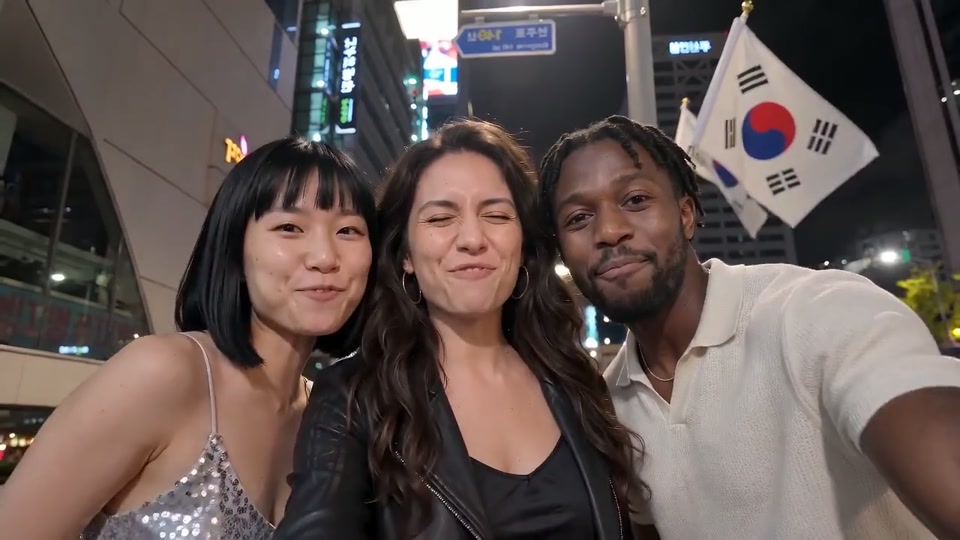
Choose the right scene, prepare each photo and check the finished clip before sharing.
Read guide →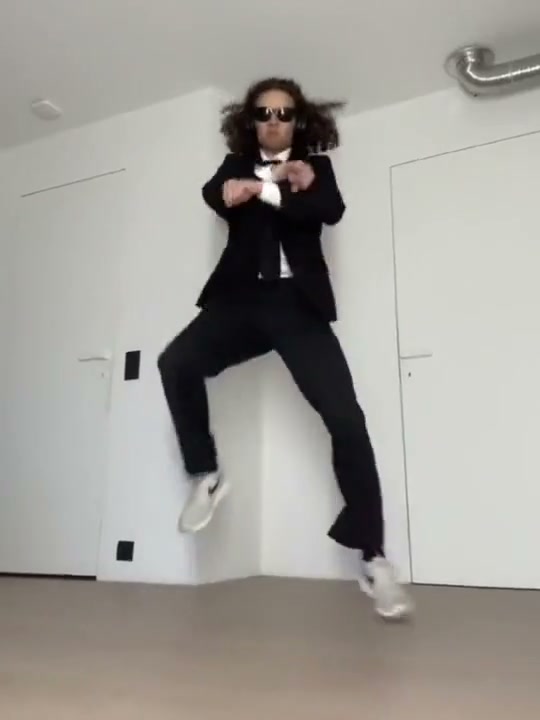
These are two different scenes. Here is how to choose the one you actually want.
Read guide →Practical photo advice for people, pairs, babies, cats and dogs.
Read guide →Your next group-chat moment
Pick the clip you love, add a clear photo for each role, and make your own Gangnam Style video.
Choose my video →See prices ↗